
GetYourGuide: Travel & Tickets
GetYourGuideTravel & Local
4.94.67K Reviews
- Version
- 26.47.1
- Installs
- 10.00M
- Age Rating
- Everyone
Screenshots


Our Review of GetYourGuide: Travel & Tickets
 Analysis by Appyee
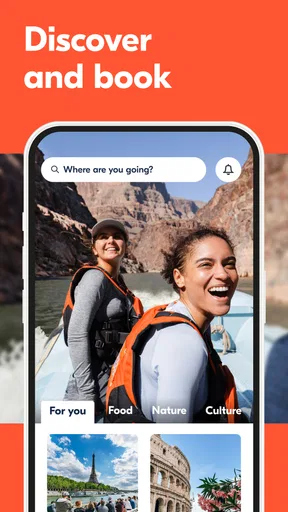
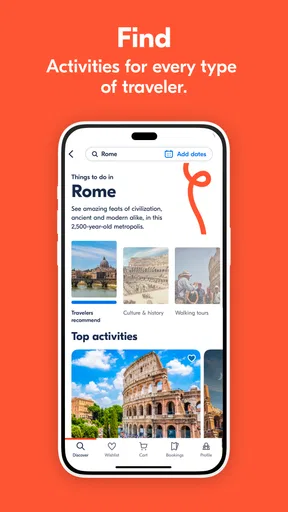
Planning a trip usually starts with a simple question: what is actually worth doing once I arrive? GetYourGuide is built around that decision. It is a free Travel & Local app from GetYourGuide that lets me browse and book tickets, tours, and other activities from a phone instead of jumping between attraction websites, tour operators, and travel blogs.
After using it as a trip-planning companion, I found its main strength is not merely the number of activities on screen. It is the way the app turns a vague destination into a list of bookable possibilities, then helps me compare timing, meeting details, cancellation information, and what is included before I commit. That convenience is useful, but it also creates a responsibility: a polished booking screen can make an activity feel more suitable than it really is. I still need to read the details carefully.
The app has a 4.9 average from around 351 thousand ratings, with more than 10 million installs. Those figures suggest that it has become a familiar choice for travelers, but popularity is not a substitute for checking the actual conditions of a booking. My view is positive overall, especially for people who want to organize activities quickly, though I would not use it as the only source of information for a complicated or highly personal trip.
How GetYourGuide builds trust during trip planning
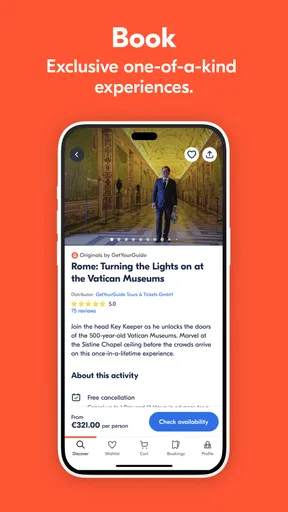
The first trust signal I noticed is the amount of information placed close to the activity itself. Instead of treating every tour as a mysterious package, the app encourages me to inspect the schedule, location, duration, inclusions, and booking conditions before moving forward. That makes a difference when I am comparing an early-morning attraction visit with an evening walking tour, or deciding whether a transfer is genuinely part of the experience rather than something I need to arrange separately.
I also appreciate that the app separates discovery from commitment. I can browse ideas while still deciding what kind of day I want, then return to a specific activity when the itinerary becomes clearer. This is more practical than opening a search engine for every attraction and trying to remember which page contained the useful details. The trade-off is that a large selection can encourage overplanning. I have to resist filling every free hour simply because the app makes another activity easy to book.
The developer is GetYourGuide, and the app has been available since October 9, 2013. Its current version is 26.35.2, and it requires an operating system version 10 or later. For me, the long-running presence matters less than the practical habit of checking each listing, but it does make the service feel more established than a newly launched booking tool.
Trust also depends on recognizing what the app is and what it is not. It is a marketplace and planning interface for experiences, not a personal travel adviser who understands my fitness level, tolerance for crowds, preferred pace, or backup plans. A listing may be clear and attractive while still being a poor fit for a traveler with mobility needs, a tight connection, or a strong preference for independent exploration. I use the app to narrow choices, not to outsource judgment.
Reading an activity listing without rushing
My most useful habit is to read the listing in a fixed order. I start with the date and start time, then check the meeting point and the expected duration. After that I look at what is included, what I must bring, and whether the activity has a specific physical or age requirement. Only then do I consider the photos and reviews. This order prevents an appealing image from becoming the reason I ignore an inconvenient meeting location.
The meeting-point check is especially important. On a busy city trip, an activity that looks close on a map may require a walk through a large station, a transfer between neighborhoods, or extra time to find the correct entrance. I would leave more margin than the app’s basic duration suggests, particularly when the booking follows a flight, train arrival, or timed museum entry.
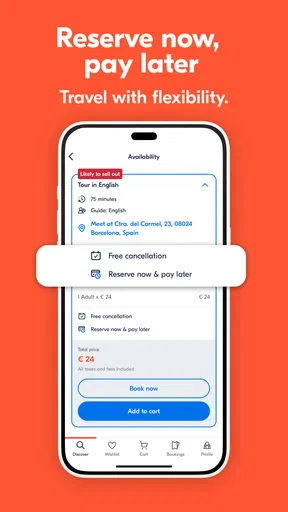
Another practical check is the cancellation wording. I do not assume that every activity follows the same rule simply because it appears in the same app. I read the conditions attached to the particular booking and save the confirmation details somewhere I can reach without relying on memory. This is one of the clearest ways to preserve control: I know what I agreed to before an unexpected change forces me to cancel.
What the app does well for real travel decisions
GetYourGuide is strongest when I already know the destination but not the best way to fill a particular block of time. For example, imagine I have an afternoon free after checking in, but I do not want to spend an hour researching. I can filter through available activities, compare the starting times, and choose something that fits around dinner or a reservation. That workflow is faster than searching separately for a boat trip, a guided walk, and a ticketed attraction.
It is also useful for travelers who prefer booking before departure. I can build a rough plan, identify which experiences need advance attention, and leave unstructured time between them. That last part is important. I would not book consecutive activities in unfamiliar neighborhoods unless the listings and transport routes make the transition genuinely comfortable. The app helps me see options, but it cannot remove traffic, queues, weather, or the simple fatigue of walking all day.
A less obvious benefit is using the app as a comparison layer rather than immediately as a checkout tool. I can use an activity page to understand the shape of an experience: whether it is guided, timed, shared, private, indoors, outdoors, or dependent on a meeting point. Even if I later decide to visit independently, that research can clarify what I would gain from paying for a tour.
That comparison also reveals when the app is not the best option. If I want the lowest possible cost for a public attraction, the official venue may be better. If I am arranging a complex custom itinerary, direct contact with a specialist operator may offer more flexibility. If I enjoy discovering places spontaneously, booking ahead through a marketplace can feel restrictive. The app is most valuable when convenience and structure matter more than absolute independence.
Permissions, account choices, and personal control
When I review a travel app, I pay attention to the moments where it asks me to make a choice. Browsing should feel different from booking, and booking should feel different from sharing information with a provider. I prefer to move through those steps deliberately rather than treating every prompt as something to accept automatically.
For a service involving reservations, account details and booking information are naturally sensitive. My practical rule is to use only the information needed to complete the reservation and to review the confirmation before closing the app. I also avoid entering details while connected to an unfamiliar public network if I can wait until I have a more trusted connection. That is general travel hygiene, but it matters more when an app is handling plans, contact information, and payment-related steps.
I do not treat a high rating as proof that my privacy preferences will match everyone else’s. A strong rating tells me that many people find the service useful; it does not answer every question about notifications, account management, or data choices. I look for visible settings and read the wording presented at the point of consent. If I do not want promotional interruptions during a trip, I check notification controls rather than assuming the default is ideal.
The same principle applies to location access. A travel app can be useful without me allowing every possible form of access all the time, depending on the task I am performing. I prefer to grant access only when it clearly improves a function I am using, and I revisit that decision after the trip. I would rather search for a meeting point manually than give an app more ongoing access than I need.
These choices are not a criticism of GetYourGuide specifically. They are part of using any booking service responsibly. The important point is that convenience should not make me careless. I want clear screens, understandable confirmations, and the ability to distinguish an essential booking step from an optional communication preference.
Where data-sensitive moments appear in everyday use
The most sensitive moment is naturally the booking process. I slow down when entering traveler details, selecting a date, or accepting conditions that may affect changes and refunds. A quick tap is tempting when I am standing in an airport or trying to reserve something before availability changes, but that is exactly when mistakes are easiest to make.
A second sensitive moment comes after booking. Confirmation messages, meeting instructions, and schedule updates can be important, but they can also become difficult to manage if I receive too many alerts. I keep the information I need for the activity and reduce distractions when possible. Before leaving the hotel, I check the latest confirmation rather than relying solely on a screenshot saved several days earlier.
A third moment occurs when sharing a booking with companions. I think about who actually needs the details and avoid forwarding more personal information than necessary. For a family or group, one person can usually coordinate the practical information while each traveler keeps control of their own account choices. This is a small distinction, but it reduces unnecessary exposure of contact details.
Travel also creates unusual pressure. A delayed train, a sudden illness, or a closed road can turn a normal cancellation question into an urgent one. In that situation, I want the booking conditions and support route to be easy to find. I would not wait until the last minute to discover whether an activity allows changes. Checking that information immediately after booking is a better workflow than searching for it during a crisis.
Three workflows that make the app more useful
First, use it to anchor an itinerary rather than fill every gap. I choose one or two activities that genuinely require planning, then leave room for meals, transport, rest, and spontaneous discoveries. This reduces the risk that a late start or a long queue ruins the entire day. The app is much more helpful when it supports a flexible plan instead of encouraging a packed schedule.
Second, compare the total effort, not only the headline activity. I consider the meeting point, travel time, start time, duration, and what happens before and after the booking. A guided experience may appear efficient, but if the meeting point is far from my accommodation and the return time clashes with dinner, an independently visited attraction could be the better choice. This broader comparison is more revealing than choosing the most attractive photo.
Third, separate research from payment. I browse while relaxed, shortlist suitable options, and only book after checking the date, time, traveler information, and cancellation conditions again. This two-stage approach is particularly useful on a phone, where a small screen can make it easy to overlook a selection. It also gives me a chance to ask whether I really want the activity or am simply reacting to a limited-looking availability message.
A fourth workflow helps with group travel: I decide in advance who is responsible for the booking and who needs the confirmation. That avoids duplicate reservations and keeps changes organized. I also make sure everyone understands the meeting point in plain language, rather than assuming a map pin will be enough in a crowded area.
Who should use it, and who may prefer another approach
I would recommend GetYourGuide to first-time visitors who want a practical way to discover activities without researching every operator individually. It suits travelers who like having a confirmed schedule, families comparing manageable options, and people taking short city breaks where time is limited. It is also convenient for anyone who wants to book from a phone while already traveling.
It is less suitable for travelers who want complete control over every detail, bargain hunters who are willing to compare several direct sources, or people who dislike committing to fixed times. Independent travelers may prefer official attraction websites, local transport tools, or simply asking residents for suggestions. Those alternatives can be better when authenticity, flexibility, or the lowest direct price matters more than a consolidated booking experience.
I would also be cautious if my plans depend on accessibility, unusual dietary needs, complex transfers, or a very specific level of privacy. In those cases, I would contact the provider directly or choose a service that can discuss the requirements before purchase. A general activity marketplace can help me discover possibilities, but it should not be expected to resolve every specialized question automatically.
My final view on using GetYourGuide
GetYourGuide has earned a place in my travel-planning routine because it shortens the distance between “that sounds interesting” and “this fits my day.” Its free price and Everyone content rating make it approachable, while its broad activity focus makes it useful for both advance planning and last-minute inspiration. The app is available on operating systems version 10 and later, so compatibility is worth checking before a trip.
My recommendation comes with one condition: I use it as a decision aid, not as a substitute for reading. I verify the meeting point, timing, inclusions, cancellation terms, and any personal requirements before booking. I also review account, notification, location, and sharing choices with the same care I give the reservation itself.
The best reason to choose this app is controlled convenience. It can help me make a realistic plan quickly, compare experiences in one place, and keep important booking information close at hand. Its weakness is the same feature: easy choice can become rushed commitment. If I slow down at the sensitive moments and leave room for alternatives, I find it a dependable companion for organized trips. If I want the cheapest direct deal, a completely spontaneous itinerary, or tailored advice for unusual needs, I would look beyond it before making the final decision.
Privacy and Permissions
See what permissions an app requests and how it handles your data.
- Location
- approximate location (network-based), precise location (GPS and network-based)
- Photos/Media/Files
- read the contents of your USB storage, modify or delete the contents of your USB storage
- Storage
- read the contents of your USB storage, modify or delete the contents of your USB storage
- Camera
- take pictures and videos
- Wi-Fi connection information
- view Wi-Fi connections
- Other
- view network connections, full network access, control Near Field Communication, run at startup, control vibration, prevent device from sleeping, read Google service configuration
Verdict
Strengths of GetYourGuide: Travel & Tickets
- Easy mobile booking for tours, tickets, and activities worldwide.
- Useful filters help narrow options by date, price, and interests.
- Many listings include free cancellation for added flexibility.
- Digital vouchers make check-in convenient without printing tickets.
- Customer reviews and photos help compare experiences before booking.
Limitations of GetYourGuide: Travel & Tickets
- Popular activities can sell out quickly, especially during peak travel periods.
- Prices may be higher than booking directly with some local providers.
- Activity quality can vary between different tour operators.
- Meeting points are not always close to major attractions or hotels.
- Refund timing may depend on the provider’s cancellation policy.
Similar Picks in This Category
View All
Google Maps
Google LLC3.4

Google Maps Go
Google LLC4.1

Booking.com: Hotels & Travel
Booking.com Hotels & Vacation Rentals4.8

Google Earth
Google LLC3.8

Skyscanner Flights Hotels Cars
Skyscanner Ltd4.8

trivago: Compare hotel prices
trivago N.V.4.4
Frequently Asked Questions
What is GetYourGuide: Travel & Tickets used for?
GetYourGuide is a travel booking app for discovering and reserving tours, attractions, activities, day trips, cruises, museum tickets, and other experiences in destinations around the world. After entering a city or destination, you can browse activities by date, category, duration, price, language, and traveler reviews. It is useful for planning ahead or finding things to do while already on vacation.
Can I trust the activities and tickets listed on GetYourGuide?
GetYourGuide works with local tour operators, attractions, and activity providers, while displaying descriptions, photos, availability, prices, and customer reviews for each experience. The quality can still vary because the actual service is delivered by the individual provider, not directly by GetYourGuide. Before booking, carefully check the itinerary, meeting point, inclusions, restrictions, recent reviews, and operator information.
How do bookings, confirmations, and mobile tickets work?
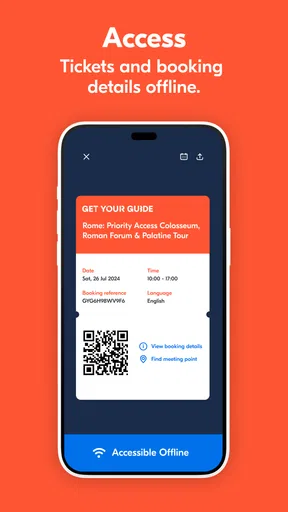
After completing a reservation, GetYourGuide generally sends a confirmation by email and stores the booking inside the app under your reservations. Depending on the activity, you may receive a QR code, voucher, or instructions to show at the meeting point. Some experiences require a printed ticket or identity document, so read the confirmation carefully and download important details before leaving, especially when traveling without reliable mobile data.
Can I cancel or change a GetYourGuide reservation?
Cancellation and amendment rules depend on the specific activity and are shown before payment and in the booking confirmation. Many experiences offer free cancellation up to a stated deadline, while others are non-refundable or allow only limited changes. Check the exact policy rather than assuming every booking has the same terms. If a problem occurs, use the reservation section or GetYourGuide customer support as soon as possible.
Is GetYourGuide free to download, and are there extra costs?
The GetYourGuide app is generally free to download, but you pay for the tours, tickets, or activities you reserve through it. Prices may vary according to dates, group size, demand, currency, and availability. Review the final checkout screen for taxes, booking fees, optional additions, transportation details, and payment conditions. Also confirm whether the displayed price covers everything you need or excludes items such as meals, transfers, or entrance fees.
